Moving from on-premises Exchange to Microsoft 365 is a big step. But before you begin, there’s one key decision to make:
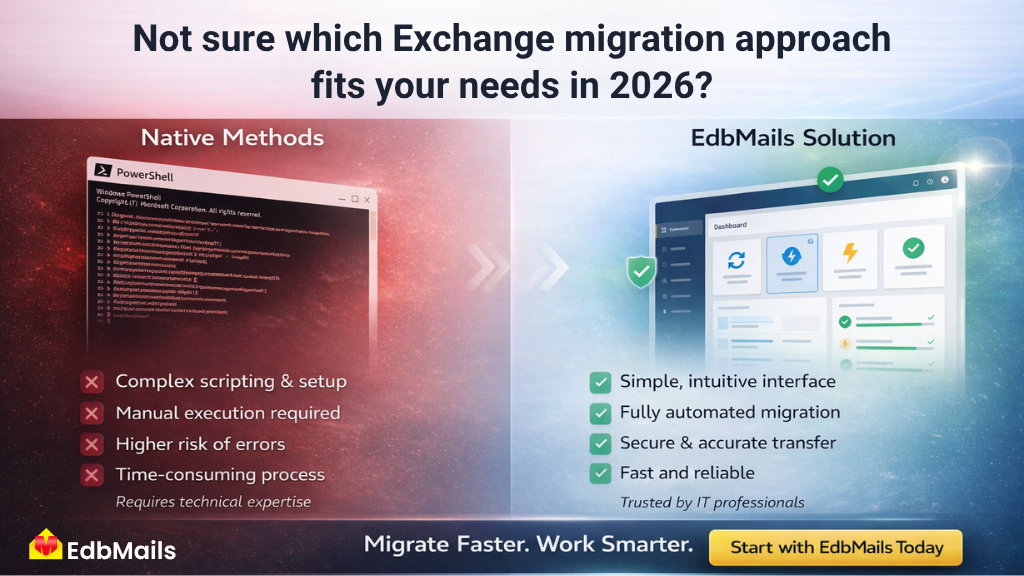
Should you rely on native migration methods or use a dedicated Exchange server migration tool like EdbMails?
Let’s break it down in a simple, practical way so you can choose what works best in 2026.
Native Migration Methods for Exchange Server
Native methods are built-in options provided by Microsoft to move mailboxes from Exchange Server to Microsoft 365.
Common types:
- Cutover migration
- Staged migration
- Hybrid migration
These approaches usually involve:
- PowerShell commands
- Manual setup and configuration
- Ongoing monitoring
What Do Migration Tools Actually Do?
These solutions are designed to simplify and automate the migration process. Instead of relying on scripts, they provide:
- A user-friendly interface
- Automated mailbox mapping
- Incremental (delta) migration
- Built-in error handling
Tools like EdbMails Exchange Migration Tool are built to handle real-world scenarios where speed, accuracy, and ease of use matter.
Native Migration Methods vs. Third-Party Solutions: Quick Comparison
| Feature | Native Methods | EdbMails |
| Ease of use | Complex | Simple |
| Setup time | Time-consuming | Quick |
| Automation | Limited | Advanced |
| Error handling | Manual | Automated |
| Incremental migration | Limited | Yes |
| Large mailbox support | Difficult | Efficient |
| Downtime | Possible | Zero |
| Monitoring | Basic | Detailed |
When to Consider Third-Party Migration Solutions
Migration tools are built for efficiency and reliability.
Choose a tool if:
- You are migrating large or multiple mailboxes
- You want faster execution
- You need zero downtime
- You prefer a simpler workflow
- You want better control and visibility
👉 Ideal for growing businesses and enterprise environments
Key Benefits of Using EdbMails
Faster execution
EdbMails is built to handle large-scale migrations efficiently. It uses parallel processing to migrate multiple mailboxes at the same time, which significantly reduces the overall migration time compared to manual or script-based methods.
Bulk migration support
You can migrate hundreds or even thousands of mailboxes in a single project. There’s no need to process users one by one, which saves time and avoids human errors during large deployments.
Incremental (delta) migration
After the initial migration, EdbMails transfers only new or modified data. This ensures that your source and target environments stay in sync without duplicating emails or reprocessing existing data.
Smart mailbox mapping
The tool automatically maps source mailboxes to destination mailboxes. You can also customize mappings if needed, which makes it flexible for complex environments like cross-domain or hybrid setups.
Advanced filtering options
EdbMails allows you to migrate only what you need. You can filter data based on date range, folder, or item type. This is especially useful when you want to exclude old or unnecessary data.
Zero data loss and integrity check
All mailbox items, including emails, attachments, contacts, calendars, and permissions, are preserved during migration. The tool maintains folder structure and ensures data consistency from source to destination.
Better error handling and reporting
Detailed logs and real-time reports help you track progress and identify issues quickly. If something fails, you can retry only the failed items instead of restarting the entire migration.
Resume and retry capability
In case of interruptions like network issues or system shutdowns, the migration can resume from where it stopped. This prevents data loss and avoids wasting time.
No scripting required
Everything is managed through a simple graphical interface. There’s no need to use PowerShell or write complex scripts, making it accessible even for non-technical users.
Zero downtime
EdbMails supports staged and incremental migration, allowing users to continue working while the migration is in progress. This helps businesses avoid disruption.
Secure migration process
The tool uses secure authentication methods and ensures that data is transferred safely between source and destination environments without exposure.
Wide compatibility
Supports all Exchange versions, Microsoft 365, hosted Exchange Servers, and IMAP servers. This makes it suitable for different migration scenarios.
Support for public folders and archive mailboxes
You can migrate not just user mailboxes, but also public folders and archive mailboxes without losing hierarchy or permissions.
User-friendly interface
The step-by-step workflow makes it easy to configure and execute migrations without needing deep technical expertise.
Want to know how it works? see Exchange Migration Step-by-Step Guide
Many IT teams prefer solutions like EdbMails Exchange migration tool because it reduces dependency on scripts while maintaining full control over the migration.
Real-World Scenario
Imagine migrating 500 mailboxes.
Using native methods:
- Manual configuration required
- Continuous monitoring needed
- Higher chance of delays
Using an EdbMails Software:
- No PowerShell needed
- Automated mailbox setup
- Accurate incremental migration
- Faster, smoother process
- Zero downtime
- Incremental Migration
- Concurrent Migration
In practice, tools significantly reduce workload and improve accuracy.
Key Factors to Consider
Before choosing, ask yourself:
- How large is your migration?
- Do you need minimal downtime?
- Do you have scripting expertise?
- How important is accuracy?
- What is your timeline?
These answers will guide your decision.
What Most Businesses Prefer in 2026
In 2026, organizations are leaning more toward automated solutions like EdbMails because:
- Handles large data smoothly
- Simplifies complex migrations
- Keeps Zero downtime
- Ensures fast execution
- Reduces manual effort
- Improves migration accuracy
That’s why many teams are moving toward a reliable solution tool like EdbMails Exchange migration to simplify the entire process.
Conclusion
Exchange migration is not just about moving data. It’s about doing it efficiently, securely, and without disruption.
While native methods can work in limited cases, modern businesses benefit more from automated solutions. EdbMails makes the process faster, easier, and more reliable without adding complexity.
Choosing the right approach will save time, reduce stress, and ensure a smooth transition to Microsoft 365.Have questions about your migration? Visit the Frequently Asked Questions
Also, our team is available 24/7 via live chat, phone, and email.