Migrating from Google Workspace to Microsoft 365 is a major infrastructure decision for any organization. Even after licensing and initial setup are completed, one critical factor continues to shape the success of the entire process: choosing the right migration method.
This decision has a direct impact on migration speed, system downtime, user experience, and overall project risk. Selecting an unsuitable approach can lead to service disruptions, incomplete data transfers, and increased operational complexity.
This guide explores two widely used migration strategies for G Suite to Office 365 migration: cutover and staged migration. It explains how each method works, when it is most effective, and the key factors to consider when determining the best approach for your organization.
Understanding the Two Migration Approaches
Before comparing these approaches, it is essential to understand how each method works.
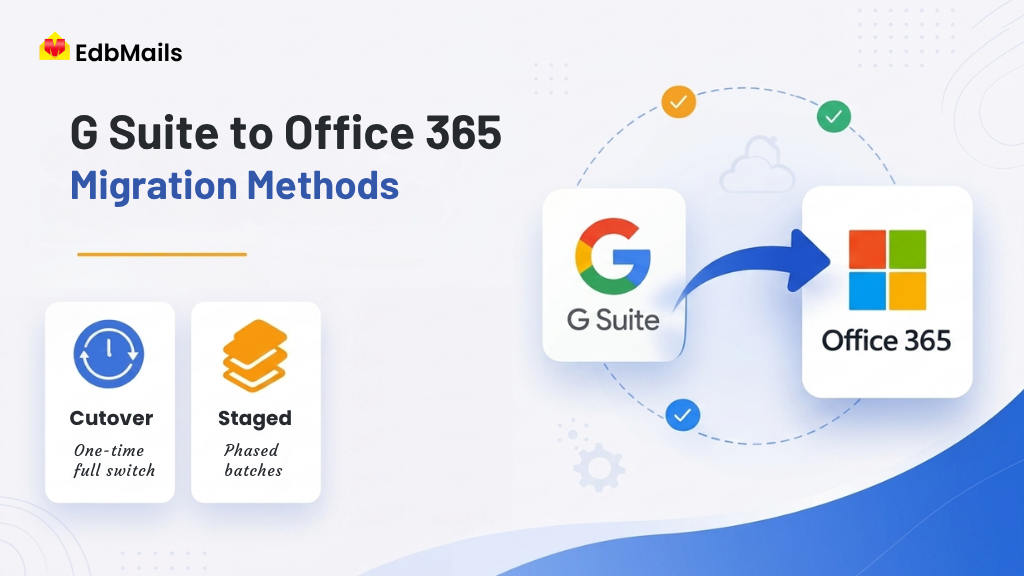
A cutover migration transfers all Google Workspace mailboxes to Office 365 in a single operation. The entire environment is moved at once, and users transition to the new platform on a scheduled cutover date.
A staged migration, on the other hand, moves mailboxes in planned batches over a period of time. Users are grouped based on factors such as department, location, or priority. This allows part of the organization to work in Office 365 while others continue using Google Workspace until their migration is complete.
In practice, many organizations adopt a hybrid approach. This typically includes an initial full migration, followed by incremental updates to capture ongoing changes, and a final cutover phase where MX records are updated to complete the transition.
1. Cutover Migration: Complete Transition in a Single Phase
How It Works
A cutover migration transfers all mailboxes from Google Workspace to Microsoft 365 in one operation. After the migration is completed, MX records are updated so that all incoming emails are directed to Microsoft 365. Users can then immediately begin working in the new environment.
When Cutover Migration Is the Right Choice
Cutover migration is best suited for small to mid-sized organizations, typically with fewer than 150 to 200 mailboxes, where the entire transition can be completed within a short timeframe with minimal disruption.
It works particularly well in situations where:
- Users follow similar working hours, making it easier to schedule migration during off-hours or weekends
- The Google Workspace environment is relatively simple, without complex folder structures or large mailbox sizes
- IT teams are available to provide support during and after the migration
- There is no requirement for coexistence between Google Workspace and Microsoft 365
Advantages
- Simple to plan and execute with a single migration event
- All users transition at the same time, making onboarding and support easier
- No need to manage a hybrid or mixed environment
- Faster organization-wide adoption of Microsoft 365
Limitations
- Higher risk, as any issue affects all users simultaneously
- Possible temporary mailbox inaccessibility during the transition
- Not ideal for large environments with significant data volumes or a high number of users
- Requires careful preparation, as there is no option for phased rollback
Preparation Checklist
Before starting a cutover migration:
- Ensure all Microsoft 365 mailboxes are created and properly licensed
- Reduce DNS TTL values (for example, to 300 seconds) at least 24 hours in advance
- Run a pilot migration with 5 to 10 non-critical mailboxes to validate the process
- Clearly communicate the migration schedule and required actions to users
- Document existing MX records to support rollback if necessary
2. Staged Migration: Moving Mailboxes in Planned Phases
How It Works
A staged migration involves dividing mailboxes into smaller groups and migrating them in multiple phases over a defined timeline. Each batch is migrated, tested, and validated before proceeding to the next phase.
During this period, some users operate on Microsoft 365 while others continue using Google Workspace. This temporary arrangement is referred to as a coexistence period.
When to Choose a Staged Migration
Staged migration is ideal for medium to large organizations where a full cutover is not feasible or introduces unnecessary risk.
It works especially well in scenarios where:
- The organization manages a large number of mailboxes across multiple teams or locations
- Different departments have varying levels of readiness
- IT teams need time to validate each phase before continuing
- Business operations require limiting disruption to smaller user groups
- Certain teams handle larger data volumes and need extended migration windows
Advantages
- Reduces risk by limiting the scope of each migration phase
- Allows IT teams to optimize the process based on early results
- Supports structured user onboarding and change management
- Simplifies testing and validation with smaller, manageable batches
Limitations
- Extends the overall migration timeline
- Requires maintaining a coexistence environment across platforms
- Involves careful coordination of mail flow, calendars, and shared resources
- Increases operational complexity for IT teams
Batch Planning Best Practices
To ensure a smooth migration process:
- Start with low-risk users, such as IT teams or technically skilled groups
- Organize batches by department to maintain collaboration continuity
- Migrate shared mailboxes and distribution groups after primary users
- Schedule migrations during off-peak hours to minimize business impact
A well-structured staged migration approach helps balance risk, control, and continuity, making it a reliable option for complex migration projects.
Side-by-Side Comparison of Migration Approaches
| Factor | Cutover Migration | Staged Migration |
| Organization Size | Small organizations (fewer than 200 mailboxes) | Medium to large organizations |
| Migration Speed | Fast, completed in a single operation | Slower, executed in multiple batches |
| Risk Level | Higher, as all users are affected simultaneously | Lower, impacts a limited number of users per batch |
| Coexistence Requirement | Not required | Required during the migration period |
| Duplicate Prevention | Not inherently supported | Not inherently supported |
| Best Use Case | Simple, small-scale migrations | Large, complex, or risk-sensitive migrations |
| Ideal Combined Approach | Cutover with incremental delta passes | Staged batches with incremental updates per batch |
How EdbMails Handles G Suite to Office 365 Migration
EdbMails provides a unified platform to handle full, staged, and incremental migrations from Google Workspace to Microsoft 365. It removes the need for multiple tools or complex configurations, allowing administrators to manage the entire migration from a single, intuitive interface.
Key capabilities across different migration scenarios:
Complete mailbox migration:
All mailbox data, including emails, attachments, contacts, calendars, and tasks, is migrated smoothly. The original folder structure and metadata are preserved, so users can access their data in Microsoft 365 exactly as it appeared in Gmail.
Secure API-based connectivity:
EdbMails uses secure API authentication with domain-wide delegation for Google Workspace, eliminating the need for user passwords. On the Microsoft 365 side, OAuth 2.0 authentication ensures a secure and compliant connection.
Incremental migration support:
The solution automatically migrates only new or modified items in subsequent runs. This prevents duplication and enables efficient staged migrations, even while users continue to receive new emails.
Bulk mailbox migration:
Administrators can migrate all mailboxes in a single project or select specific users for batch-based migration. This flexibility supports well-planned staged migration strategies.
Selective data migration with advanced filters:
Filtering options such as date range, folders, sender, CC, BCC, and subject allow precise control over the migration scope. This is especially useful for pre-migrating historical data before the final cutover.
Flexible destination options:
Data can be migrated to primary mailboxes, shared mailboxes, archive mailboxes, or public folders in Microsoft 365, supporting a wide range of organizational needs.
Automatic mailbox mapping:
Mailboxes are automatically mapped between Google Workspace and Microsoft 365 using email addresses and display names. For more complex environments, CSV-based custom mapping ensures accuracy.
Real-time monitoring and reporting:
Administrators can track progress with live status updates and detailed reports at the mailbox level. Errors are clearly logged, making troubleshooting faster and more efficient.
Minimal downtime:
Users can continue working in Google Workspace during the migration process. This ensures business continuity, especially in staged and incremental migration scenarios.
No scripting required:
The entire migration is managed through a user-friendly graphical interface, eliminating the need for PowerShell or manual scripting.
Choosing the Right Approach: A Quick Decision Guide
If you’re unsure which migration strategy suits your organization, these guidelines can help you decide:
Choose a cutover migration if:
Your organization has fewer than 150 to 200 mailboxes, can allocate a defined migration window during off-peak hours, and has the IT resources to support all users immediately after the transition. This approach is often supported by incremental (delta) synchronization to capture any newly received or missed data during the migration.
Choose a staged migration if:
Your organization is large or geographically distributed, requires a phased rollout to reduce risk, or needs time for department-level onboarding and training. It is also well-suited for complex Google Workspace environments with large mailboxes and detailed folder structures. In this method, incremental (delta) synchronization is applied at each phase to ensure data remains current throughout the migration.
Important consideration:
Regardless of the method you choose, plan for incremental migration passes. Delta synchronization plays a key role in capturing newly arrived data and keeping target mailboxes up to date, especially in longer or phased migration scenarios.
Pre-Migration Checklist for G Suite to Office 365 Migration
No matter which migration approach you choose, proper preparation is key to ensuring a smooth and reliable transition from G Suite to Office 365. Use the checklist below to get everything in place:
- Enable API access in the Google Workspace Admin Console
- Create a service account in Google Cloud Console with domain-wide delegation
- Set up the Microsoft 365 tenant, ensuring all user mailboxes are created and assigned the appropriate licenses
- Update DNS settings by lowering the TTL value to 300 seconds at least 24 hours before the cutover
- Run a pilot migration with a small group of test mailboxes
- Review pilot migration reports and resolve any identified issues
- Plan and schedule incremental (delta) migrations leading up to the final cutover
- Communicate the migration plan, timeline, and expected impact clearly to all users
- Document existing DNS and MX records to support rollback if needed
Following this checklist helps reduce risks, maintain data integrity, and ensure a more controlled and secure migration process.
Conclusion
There is no single approach that fits every Google Workspace to Microsoft 365 migration. The right strategy depends on your organization’s size, timeline, complexity, and level of risk tolerance. A clear understanding of each migration method’s strengths and limitations is essential to choosing an approach that aligns with your business needs.EdbMails G Suite to Office 365 Migration Tool offers a complete solution with support for both cutover and staged migrations within a single interface. It features secure API-based authentication, automatic mailbox mapping, real-time reporting, and built-in deduplication to maintain data accuracy. Whether you are migrating 20 mailboxes or 2,000, the process remains structured, transparent, and reliable.