Migrating from Google Workspace (G Suite) to Microsoft 365 or any other email platform is a significant business decision. It involves the secure transfer of critical data, including emails, contacts, calendars, and tasks that teams rely on daily.
The success of the migration largely depends on selecting the right G Suite migration tool. An unsuitable choice can lead to data loss, duplicate items, disrupted folder structures, and operational downtime. In contrast, a well-designed solution ensures a smooth and efficient transition with zero downtime.
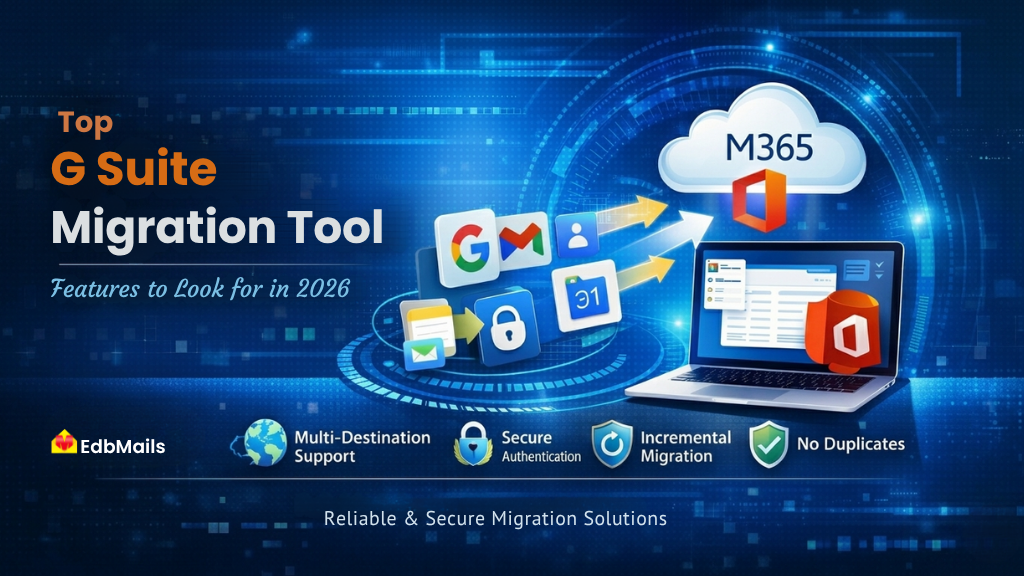
If you are planning a G Suite migration in 2026, this guide outlines the essential features to look for in a migration tool. It also highlights how the EdbMails Google Workspace Migration Tool meets these requirements, offering a reliable, cost-effective, and comprehensive solution for secure email migration.
Why Choosing the Right G Suite Migration Tool Matters in 2026
Migration in 2026 is more complex than ever. Organizations are dealing with larger mailboxes, stricter data protection requirements, tighter IT budgets, and users who expect uninterrupted access throughout the entire process.
A tool that performed well a few years ago may no longer meet today’s expectations for security, automation, and scalability. This makes it essential to evaluate solutions based on clear, practical requirements rather than relying on marketing claims alone.
Here is what you should consider when selecting a migration tool, and how EdbMails G Suite Migration aligns with these requirements.
1. Support for Multiple Migration Destinations
A reliable G Suite migration tool should offer flexibility rather than limiting users to a single destination. Organizations often operate across diverse environments, with migration targets varying based on infrastructure and business requirements. Some migrate to Microsoft 365, others to on-premises Exchange Server, while many choose IMAP-based platforms.
Key requirements:
- G Suite to Microsoft 365 (Office 365) migration
- G Suite to Exchange Server (on-premises) migration
- G Suite to IMAP servers such as Zimbra, Zoho, cPanel, Rackspace, and others
How EdbMails supports this:
EdbMails supports all three migration paths within a single interface. Whether the destination is Microsoft 365, an on-premises or hosted Exchange Server, or any IMAP-compatible email system, migrations can be completed without switching tools. This unified approach simplifies the process and is especially beneficial for IT administrators managing multiple environments or client deployments.
2. Secure API-Based Authentication
In 2026, security is a critical consideration for any G Suite migration. A reliable migration solution should rely on secure, API-based authentication methods rather than stored credentials or outdated basic authentication protocols.
Key requirements include:
- Google Workspace API access with domain-wide delegation
- OAuth 2.0 modern authentication for Microsoft 365 connections
- No storage of user credentials on external servers
How EdbMails Protects Data During G Suite Migration :
EdbMails integrates securely with Google Workspace using API-based access and domain-wide delegation, allowing administrators to manage and migrate mailboxes within a controlled and authorized environment. For Microsoft 365, it utilizes OAuth 2.0 authentication, directing users to Microsoft’s official sign-in page for a secure login experience. At no stage are user credentials stored on EdbMails servers, ensuring strong data protection and maintaining enterprise-grade security throughout the migration process.
3. Bulk Migration Without Individual User Credentials
For organizations managing dozens or even hundreds of Google Workspace accounts, manually handling credentials for each user is neither practical nor secure. A reliable migration tool should support centralized, admin-level control for bulk mailbox migration.
Key requirements:
- Admin-level access to migrate all mailboxes in a single operation
- No dependency on individual user passwords
- Support for CSV-based user import for large-scale deployments
EdbMails G Suite Migration Tool: How It Helps
EdbMails enables bulk migration of Google Workspace mailboxes through secure admin-based authentication using domain-wide delegation. This allows administrators to migrate all user mailboxes across the organization without the need to collect individual credentials, simplifying large-scale migration projects.
The software automatically maps source and destination mailboxes, reducing manual effort and improving accuracy. For complex environments, it also supports CSV-based mailbox mapping, allowing administrators to define source and target mailbox relationships as needed.
The entire migration process can be managed centrally through a single interface, ensuring a smooth, efficient, and scalable migration experience with zero downtime.
4. Complete Data Migration: Emails, Contacts, Calendars, and Tasks
Many basic G Suite migration tools fall short by transferring only emails, leaving other critical data behind. In a business environment, this is not sufficient, as contacts, calendars, and tasks are equally important for daily operations.
Key requirements include:
- Full migration of Gmail emails with original folder structure preserved
- Migration of Google Contacts
- Transfer of Google Calendar events
- Migration of Google Tasks
- Retention of attachments and metadata
How EdbMails Simplifies G Suite Migration:
EdbMails provides a complete Google Workspace to Microsoft 365 migration, ensuring that all mailbox data is transferred securely and accurately. This includes emails, contacts, calendars, and tasks, with no data loss.
The tool also maintains the original Gmail folder structure throughout the migration process. Gmail labels are intelligently converted into corresponding folder hierarchies, allowing users to access their data in a familiar structure after migration without requiring any manual reorganization.
5. Incremental (Delta) Migration
Large-scale migrations cannot typically be completed in a single pass. During the migration window, users continue to send and receive emails, which makes it difficult to maintain data consistency. Without an incremental approach, organizations are often forced to either pause email activity in the source environment or deal with the risk of duplicate data in the destination.
Key requirements to consider:
- Support for incremental synchronization that transfers only new or modified items
- Prevention of duplicate data during repeated migration cycles
- Flexibility to run multiple delta passes before final cutover
Main Benefits of the EdbMails G Suite Migration Tool:
EdbMails offers a built-in incremental (delta) migration that ensures only newly created or updated items are migrated in subsequent runs. This makes it well-suited for phased or large-scale migration projects, where keeping the destination mailbox continuously updated is essential while users remain active in Google Workspace. After the initial migration, you can perform multiple incremental syncs, and the tool ensures data integrity by preventing duplicate entries on the target server.
6. Advanced Filtering and Selective Migration
Organizations do not always need to migrate entire mailboxes. Compliance requirements such as legal holds, retention policies, and data minimization often require moving only specific data, such as certain date ranges, selected folders, or targeted messages.
Key filtering capabilities to consider:
- Migration based on date ranges (before, after, or between specific dates)
- Filtering by sender and recipient email addresses
- Subject-based keyword filtering
- Folder-level inclusion or exclusion options
EdbMails G Suite Migration Tool Capabilities:
EdbMails offers granular filtering options that allow administrators to define exactly what data should be migrated. You can apply filters based on date range, subject keywords, sender, CC, and BCC fields, as well as choose specific folders for inclusion or exclusion.
This level of control ensures that only required data is transferred, helping reduce migration time, optimize bandwidth usage, and prevent unnecessary or non-compliant data from being moved.
7. Automatic Mailbox Mapping
In large-scale migrations, manually mapping each Google Workspace account to its corresponding Office 365 mailbox can be time-consuming and prone to errors. A dependable migration tool simplifies this process through automation.
Key capabilities to consider:
- Automatic matching of source and target mailboxes using email addresses or display names
- Support for CSV-based custom mapping in complex or non-standard environments
- A clear preview of mailbox mappings before starting the migration
How EdbMails G Suite Migration Tool helps:
EdbMails provides automated mailbox mapping by accurately aligning Google Workspace accounts with Office 365 mailboxes using email addresses and display names. For environments where naming conventions differ between source and destination, it also supports CSV-based custom mapping. This allows administrators to precisely define source-to-target relationships, including scenarios involving domain changes or email address updates during migration.
8. User-Friendly Interface – No Scripting Required
Many advanced migration tools rely on complex configurations such as PowerShell scripts, API setups, or command-line operations. In 2026, an effective G Suite migration solution should be easy to use and accessible to IT administrators without specialized scripting expertise.
What to look for:
- A clean and intuitive graphical interface
- A guided, step-by-step migration wizard
- No dependency on PowerShell or command-line tools
- Clear visibility into progress and migration status
What EdbMails G Suite Migration Tool offers:
EdbMails is designed with simplicity and usability in mind. Its intuitive graphical interface walks administrators through each stage of the migration process, from connecting to Google Workspace and selecting mailboxes to mapping accounts and starting the migration. The solution eliminates the need for PowerShell scripts, command-line tools, or advanced technical skills. This enables organizations to carry out secure and efficient G Suite migrations, even without a dedicated migration specialist.
9. Detailed Migration Reports
After completing a migration, having clear and verifiable records is essential. IT administrators, compliance teams, and end users all require assurance that data has been migrated accurately and completely.
Key features to consider:
- Item-level migration reporting
- Summary of migrated, failed, and skipped items for each mailbox
- Exportable reports for auditing and documentation
Core Capabilities of the EdbMails G Suite Migration Tool:
EdbMails automatically generates comprehensive migration reports at the end of each job. These reports include details for every mailbox processed, folders migrated, the total number of items transferred, and any errors encountered, along with their descriptions. This enables administrators to quickly validate migration success and identify any items that require further attention, ensuring a smooth and efficient post-migration review process.
10. Cost-Effective Licensing
Many enterprise migration tools are priced in a way that makes them less practical for small and mid-sized organizations. An effective G Suite migration solution should provide clear, predictable pricing without hidden costs.
Benefits of using EdbMails G Suite Migration Tool:
EdbMails is competitively priced compared to most migration tools, with a transparent per-mailbox licensing model and no hidden charges. A single license supports repeated migrations for the same mailboxes, unused licenses remain valid without expiration, and there are no limitations on domains or client accounts. This makes it especially beneficial for MSPs handling multiple client migrations, offering strong value and flexibility.
🔗 View EdbMails G Suite Pricing: Affordable plans designed for individuals, businesses, and IT service providers.
EdbMails G Suite Migration Tool: Feature Summary
| Feature | EdbMails |
| G Suite to Office 365 | ✅ |
| G Suite to Exchange Server | ✅ |
| G Suite to IMAP | ✅ |
| OAuth 2.0 / Modern Authentication | ✅ |
| Domain-wide delegation (API-based) | ✅ |
| Bulk mailbox migration | ✅ |
| Emails, contacts, calendars, tasks | ✅ |
| Folder structure preservation | ✅ |
| Incremental / Delta migration | ✅ |
| Advanced filters (date, sender, subject) | ✅ |
| Auto mailbox mapping | ✅ |
| CSV-based custom mapping | ✅ |
| No duplicate items | ✅ |
| No PowerShell required | ✅ |
| Detailed migration reports | ✅ |
| 24/7 free technical support | ✅ |
Conclusion
Selecting the right G Suite migration tool in 2026 ultimately depends on one critical factor: its ability to handle real-world organizational complexity without compromising data integrity or user experience.
EdbMails G Suite Migration is designed to meet this requirement with confidence. It offers enterprise-grade capabilities such as secure API-based authentication, incremental migration, advanced filtering options, bulk mailbox processing, and detailed reporting. At the same time, its intuitive interface ensures that IT administrators can manage migrations efficiently without any complexity. Whether you are migrating 10 mailboxes or 10,000, EdbMails provides the control, visibility, and reliability needed to execute a successful migration on the first attempt.
Start Your G Suite Migration with EdbMails Today
→ Download the free trial and migrate up to 30 items per folder with no credit card required.
→ Explore the G Suite Migration Overview for a complete understanding of features and capabilities.
→ Access 24/7 live chat support for any queries
→ Book a personalized migration demo tailored to your setup. Book a demo today.