Office 365 has become the preferred cloud messaging platform for organizations of all sizes. However, Office 365 migrations often involve technical challenges such as selecting the appropriate migration approach, meeting compliance requirements, managing bandwidth limitations, configuring hybrid environments, migrating legacy archive data, and handling retention policies. This article examines common Office 365 migration scenarios, key challenges administrators encounter, and the best practices required for a successful migration.

Selecting the Appropriate Office 365 Migration Scenario
There are three primary types of migration: Cutover, Staged, and Hybrid. Proper planning is essential before starting a migration, and the right choice depends on your existing environment. The Exchange Server Deployment Assistant can help determine your setup and suggest the most suitable migration approach.

IT administrators recommend creating an inventory of essential items before initiating the process. It is also strongly advised to take a full backup of critical data and perform a test backup to get familiar with the environment. If any issues arise, the migration can be paused until they are resolved.
Office 365 Migration Types and Associated Challenges:

Cutover Migration:
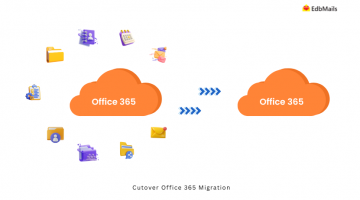
With Exchange 2007, 2010, and 2013, you can migrate all mailbox data to Office 365 in a single batch. Using the setup wizard, you can migrate up to 150 mailboxes, while the Exchange Admin Center supports migrating more than 150 up to 2000 mailboxes. This method is recommended for smaller organizations.
Staged Migration:
Also known as batch migration, this method allows you to migrate mailboxes in groups. It is useful for Exchange 2007 and supports migrating more than 2000 mailboxes in stages.
Hybrid Migration:
This approach is best suited for large organizations, allowing the migration of more than 150 mailboxes in a shorter timeframe. Hybrid migration is available for Exchange 2007, 2010, and 2013.
Security, Protection, and Compliance:
When migrating data to Office 365, security considerations are critical. You may face challenges with multi-factor authentication, anti-spam settings, encryption, rights management, and device policies. Some security configurations from your existing environment may not automatically apply to Office 365.
For industries like finance and healthcare, where data sensitivity is paramount, ensuring end-to-end security is non-negotiable. Choosing a reliable and secure migration tool helps safeguard data integrity.
Large data such as public folders, archives, and emails with heavy attachments are often difficult to migrate using native Microsoft methods. In such cases, using a third-party tool reduces risk and ensures smooth migration.

Export archive mailbox:
Organizations often maintain old emails and data in archive folders to save space. These archives are stored separately from the primary mailbox and may include journal reports and critical historical messages. During migration, it is important to ensure archive data is moved carefully without merging into the primary mailbox. A third-party tool simplifies this process while preserving structure and integrity.

Bandwidth issues:
Migration consumes significant bandwidth, especially when transferring large files in gigabytes. Services like Exchange Web Services (EWS) are bandwidth-intensive and may result in throttling or incomplete data transfer. Third-party tools are designed to minimize these issues and optimize migration speed.
Limitations of Office 365 Retention policy:
Office 365 retention policies come with certain restrictions. By default, deleted messages are retained for 14 days, although administrators can extend this period through Messaging Records Management (MRM) policies. However, for some organizations, this duration is insufficient and may require additional compliance strategies.
Office 365 Migration with EdbMails

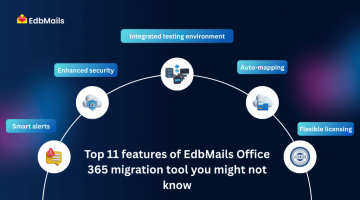
EdbMails Office 365 Migration Software is designed to address many of the technical challenges discussed in this article, including large mailbox migrations, archive mailbox transfers, public folder migrations, and throttling-related limitations. The software provides automated mailbox mapping, incremental migration, detailed migration reports, and secure data transfer to help administrators execute Office 365 migrations efficiently.
Learn more about EdbMails Office 365 Migration Software.
Additional links: